01
Configurable capture window
Decide how much happens before and after.
Set pre-roll and post-roll independently, then trigger without interrupting the action in front of the camera.

Trigger-Based Slow Motion
Capture the seconds before and after the decisive moment. Slogger keeps a rolling high-frame-rate buffer ready, then saves only the footage around your trigger.
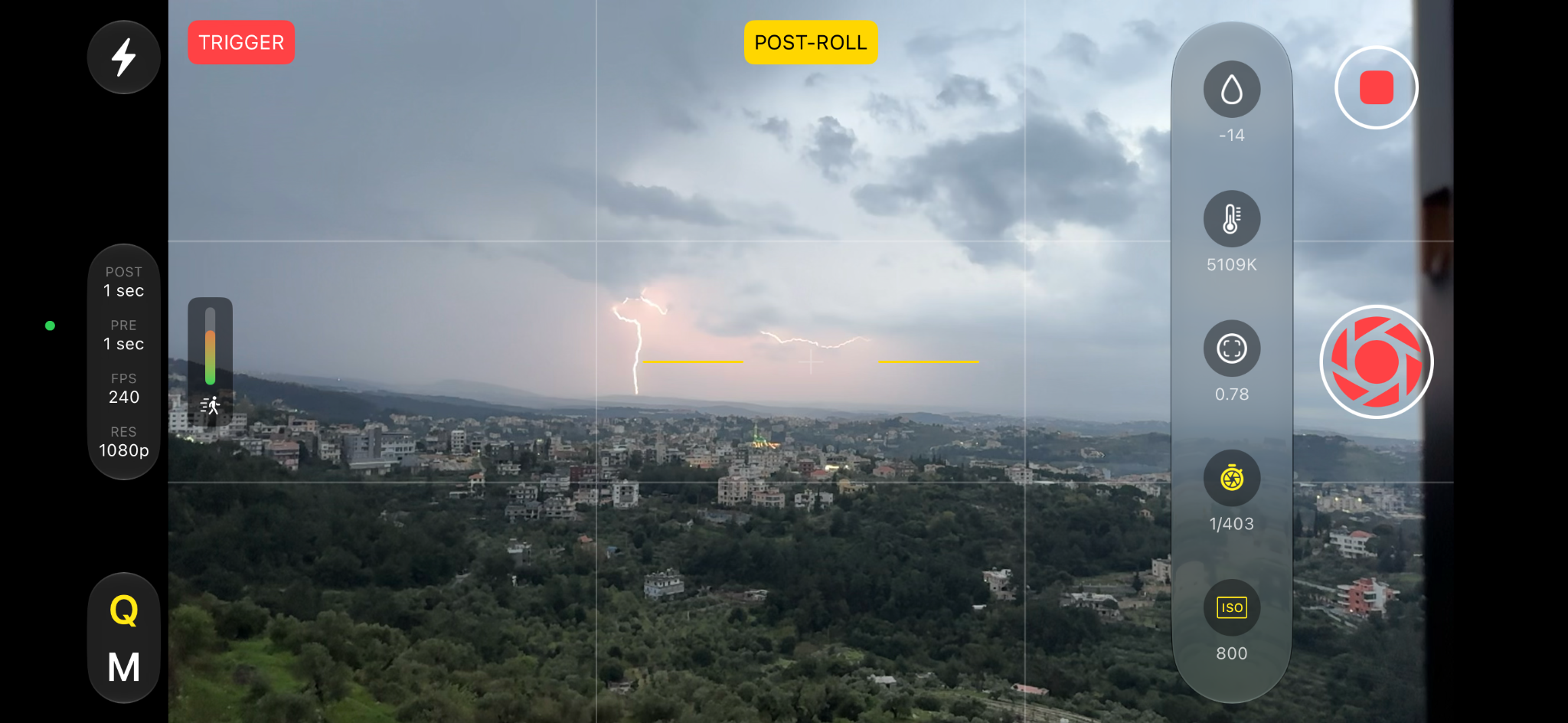
A different recording model
A conventional camera asks you to predict when the action will begin. Slogger stays ready in a circular buffer, so you can react after the event has already started.
The result is a focused clip instead of minutes of footage to scrub, trim and discard.
Made for precise capture
Slogger combines a fast viewfinder with deliberate capture settings, so the camera remains responsive while your workflow stays predictable.
Configurable capture window
Set pre-roll and post-roll independently, then trigger without interrupting the action in front of the camera.
High-frame-rate recording
Choose the resolution and frame rate supported by your iPhone, including up to 240 fps on compatible devices.
Manual camera controls
Adjust ISO, shutter speed, focus, temperature and tint without leaving the camera interface.
Flexible triggering
Stay close to the subject, step away from the camera, or configure automatic triggering for repeatable events.
Focused video library
Browse clips, inspect capture metadata, change preview speed and import compatible videos from Photos.
Designed around the footage
Dark surfaces keep attention on the video, while native controls make the app familiar from the first recording.

Scrub precisely, jump between seek points and preview high-speed footage at different playback speeds.

See duration and frame rate at a glance, select multiple videos and track device storage from the library.

Configure capture quality, trigger timing, playback behavior and viewfinder tools in a clear settings structure.
When timing cannot be predicted
Capture a jump, impact, swing or technique without starting a long recording in advance.
Preserve the exact failure, impact or mechanism cycle for frame-by-frame inspection.
Stay ready for brief events while avoiding unnecessary footage and storage use.
Slogger for iPhone
Capture only the seconds that matter, with a workflow designed around the trigger.
Download on theApp Store Set the App Store URL inscript.js before publishing.